Send G-code to your MASSO controller without leaving Fusion.
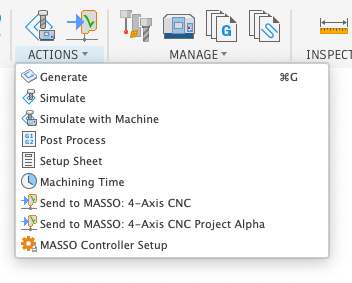
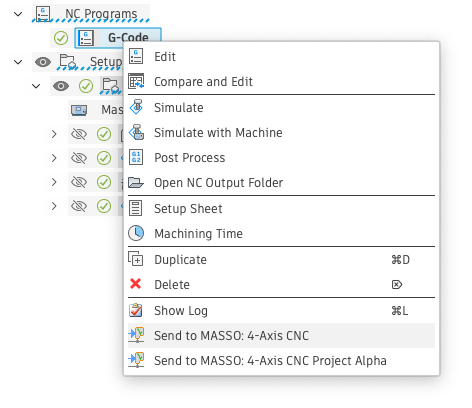
Send to MASSO adds a one-click path from your CAM setup straight to a MASSO controller over the network — from the Actions toolbar or right from the NC Programs browser, with live transfer status the whole way.
Two ways to send a job
Trigger a transfer from the Actions menu after generating a toolpath, or right-click any NC program in the browser — the same "Send to MASSO" commands sit alongside the tools you already use to post and simulate.
Connection status, right in the toolbar
The Send to MASSO icon itself reflects the controller's reachability, so you know before you try sending whether it's worth queuing up a job.

ConnectedThe controller answered on the network and is ready to receive a file.

UnreachableController offline or the address needs another look.
Progress you can watch, not guess at
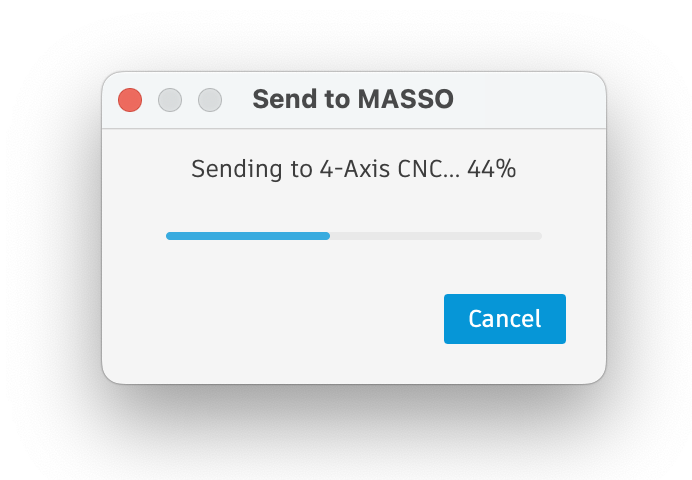
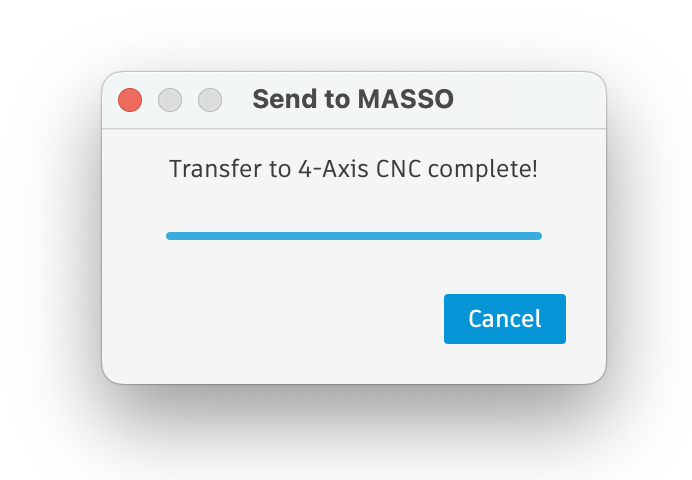
A transfer window tracks the send in real time and confirms once the file has landed on the controller.
Add a controller once, reuse it every job
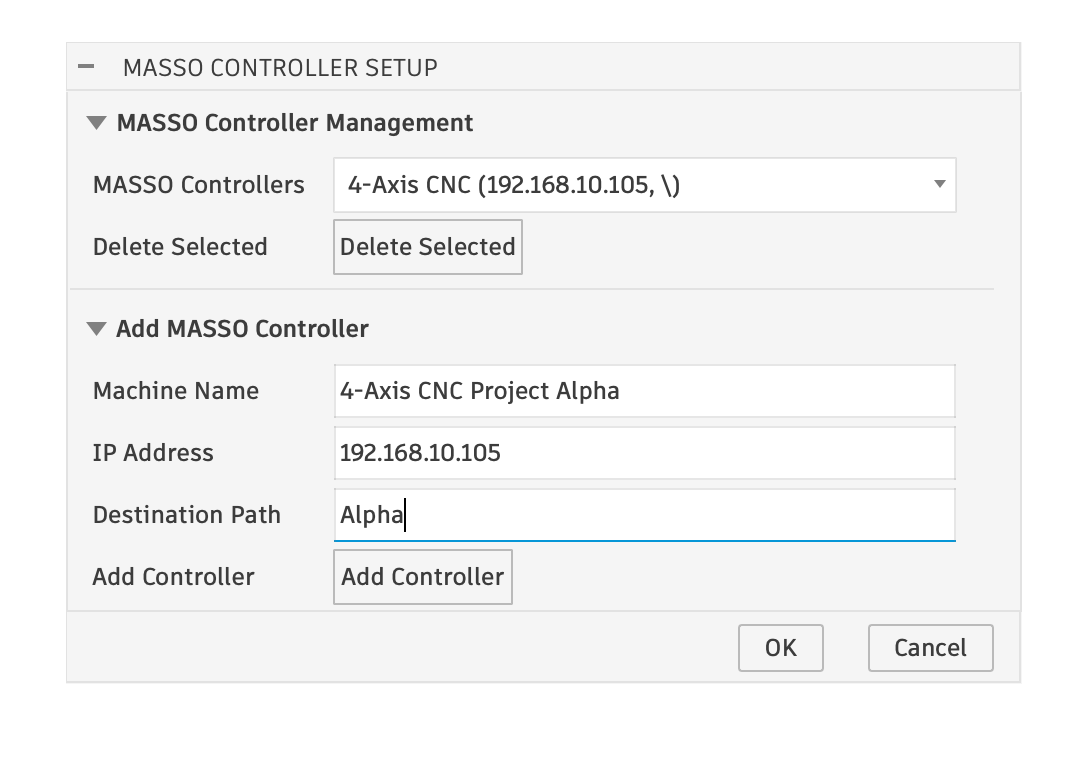
MASSO Controller Setup keeps a named list of machines — add as many as your shop runs, and pick from the list next time instead of re-entering an address.
Available soon on the Autodesk Marketplace
Send to MASSO is a Fusion add-in — install it and the Send to MASSO commands appear in your Actions menu and NC Programs browser alongside your existing CAM tools.